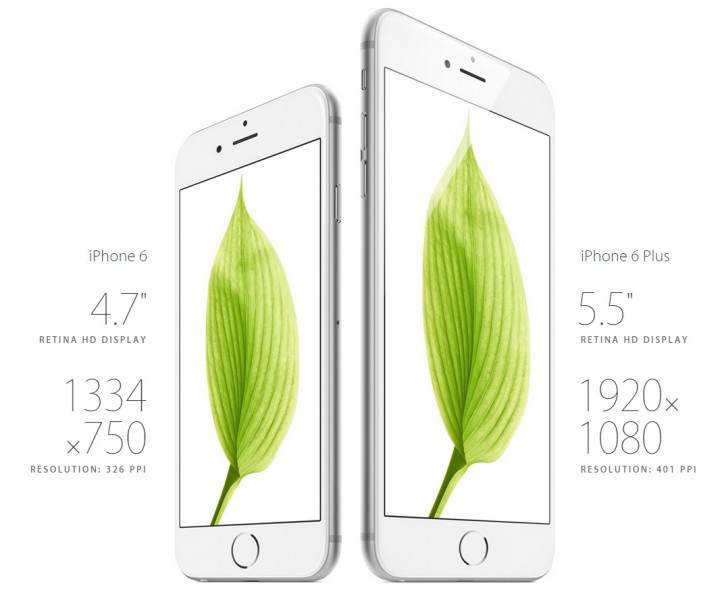
Every other day we come to know about the launch of few new gadgets and most of them are mobile phones. If we talk of smartphones, Apple dominates major chunk of consumer market. Recently the company has launched iPhone 6 and iPhone 6 Plus. These two new models are a huge upgrade on the last model iPhone 5s. If the users want to experience the latest iOS 8, these latest models will not disappoint them at all. One can find a plethora of features coming along with these two models.
These Apple iPhones are equipped with some of the latest features such as Reachability which will enable the user to reach every corner of the handset easily. Other feature that makes these smartphones an attractive bid for buying include Family Sharing in which six members of a family can share various applications between them. You’ll get both of these models come equipped with the latest camera settings which enable you to do an array of things.
If you are a recent purchaser of any of these phones, you can follow these tips and tricks and get the most out of your handset:
Excellent Reachability- To use the Reachability feature of the phone, tap two times on the home key and you’ll find app sliding down easily allowing you to access the app till end.
If You Want to Share Your Location- You have messaging option under this feature. Using it you will be able to share your current location. You can keep messaging about your whereabouts and keep the people in touch with you updated about wherever you are.
Switching from Standard to Zoom View– Both these latest offerings from Apple are available with default standard view option. But in case you want bigger icons or have a weak vision, you can choose to switch to Zoom option as you go into settings and then tap on Display and thereafter Brightness to have a clearer view.
Charge your iPhone Fast- If you find that 1A/5W charger is taking more time when charging your iPhone 6 or iPhone 6 plus, you can pick a 2.1A/12w charger. This iPad charger will quickly charge your phone. You will see the improvement in the timing of charging in both the phones.
Make Use of Third-Party Keyboards- You can turn these alternative keyboards on by going into the Settings>General>Keyboards>Add New Keyboards and download a variety of other options.
Barometer When You Scale- As you go up on the stairs, the new sensor’s track changes in height enabling you to record the number of steps you have climbed.
Hotspot Feature is Fun- Turn the Personal Hotspot Option on by clicking on Settings>Cellular>Cellular Data Network and tap on it to gain access to the Personal Hotspot tab typing in the Username.
If You Need to Edit the Captured Pictures- There are various editing options that this addition of latest Photo app comes equipped with. You can edit the images using rotate images, skin tones, adjusting shadows and more apart from lightening up of the underexposed dark images you have just clicked.
Amazing Landscape Mode- This feature of the phone is similar to iPad that provides a two-panel interface in some of the application of these smartphones.
Take & Save a Screenshot with Ease- Hold down the home key and press the lock/power key placed on the right side of your phone to take a screenshot. You can save it into camera once you hear the sound of click which would confirm that the screenshot has been taken.