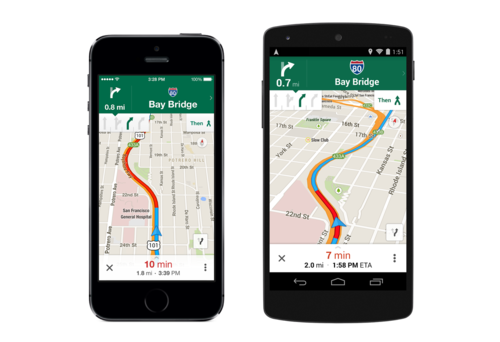
Only a decade or so ago, you would need something like a tour guide or a map to help you navigate an unknown area. Nowadays, we have Google Maps- the most powerful free navigation application available. This app allows people with various levels of wealth to visit places they wouldn’t be able to otherwise.
Google Maps is the number one tool to use if you are travelling and you got lost somewhere. However, despite its popularity and the fact that it has been around for quite a while, there are still many things people do not know about the app. So, here is a list of the more unknown features that this application has.
Zero-in
In case you are not able to find something you are looking for by entering an address of the street you are currently on, there is a feature called Zero-in. In order to use it, go to “My location” and punch in the address of your current location inside a blue dotted circle. By doing so, you make it much easier for the application to trace your desired route.
Are you afraid you will lose your internet connection at some point? No need to worry
While you might be crossing some regions that do not have internet (and GPS) in your travels, there is no need to worry about that. Google Maps gives you the ability to plan out your route beforehand and save it before entering the no internet area. So, when you will eventually lose your connection you will still have the access to your GPS route. Here are some instructions how to do this:
iPhone
With your internet available, you have to open the map, click the info bar and zoom in. Then, you will need to scroll all the way down to the option called “Save to use offline”. It should then confirm that the map has been successfully saved. You can then access the saved version (even when you’re offline) by opening your profile.
Android
The procedure is pretty much the same, except the option to save the map for offline use can be found in the info log. You can also give this map a different name to help you find it later.
You can also locate flights
This is another option that most users are unaware of. As of now, it is only available on the desktop version of the app. After you enter your initial location and your destination, click on “See results on Google Flights”. If this option does not appear, click on the dotted buttons which you can find on the toolbar. It will then provide with such information as available airlines, time, flights and prices. It even allows you to compare prices between various airlines.
Nowadays, such rarities as actual, physical maps are becoming obsolete. Google Maps is one of the most (if nor THE most) popular and technologically advanced mapping software out there. The fact that it is absolutely free makes it even better!