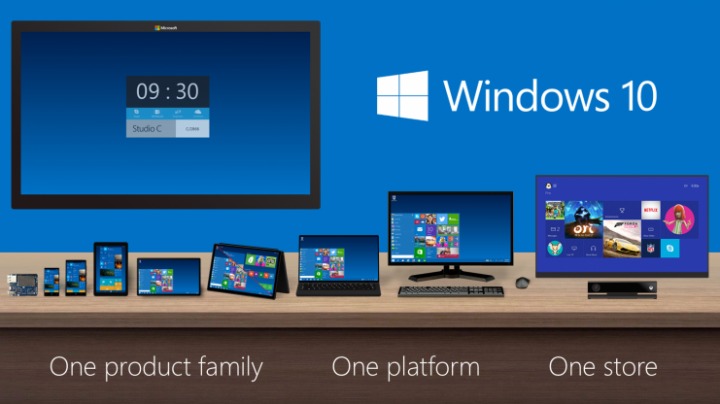
Microsoft has decided to go one step ahead by building Windows 10 instead of Windows 9, since its most recent operating system was the Windows 8. The reason for omitting Window 9 could be directed to the unwelcome status of Windows 9 as well as the look of a user interface that is shared among the tablet, PC and smartphones devices. During a press meet on September 30th, Microsoft had accepted the failed reception of Windows 9. The company had assured the users that this latest operating system would be very similar to Windows 7 by placing some features of Windows 8 on the machine.
Start Menu
Windows 10, the most recently updated version of Microsoft’s operating system, is likely to bring back the Start menu with it. This menu is located on the leftmost bottom side of the panel and when clicked will open up just like its initial versions. Two parts will be there, the left part showing all the icons for the applications that have been installed in your system and the right part contains a list. The features that are different in the latest Start menu option are in its icon design, i.e. the size and shape of the icon. Additionally, it will have a search bar option which will search for any file that is entered in it throughout the entire system as well as results from the internet.
Excellent at multi-tasking
The Task view feature enables you to use your Windows 10 screen to operate many numbers of desktops simultaneously. All the displays that have been opened by the user will be shown at the bottom of the panel.Users are also able to move applications between desktops by selecting the Snap Assist option, a feature which may be very useful for those who love multi-tasking.
User Input
While the Touch option will remain as it was in the previous versions, few improvements can be seen in its Charms bar. An alteration has also been made to the use of touch feature with the Windows 10 keyboard.
Command Prompt
The Command Prompt is not a feature which is used by every user as it needs some extra knowledge in computer technology. Those users who make use of the prompt will be delighted to know that the option can operated in an easy manner now. Currently it has the capacity to paste any text by applying the normal paste command, CTRL + V instead of going to a separate menu.
WIP
Windows Inside Program (WIP) is a Windows hardware tool that is used for sending suggestions to the Microsoft company so that your feedbacks can be useful in enhancing the OS. If more users make proper use of WIP, Microsoft will understand where its OS lacks and work on its improvement.
Business oriented
Windows 10 is assumed to have impressed business enterprises on the web by providing ample support for their system management tools. The new operating system also separates the business operations from personal ones which make it very easy to deploy security measurements.