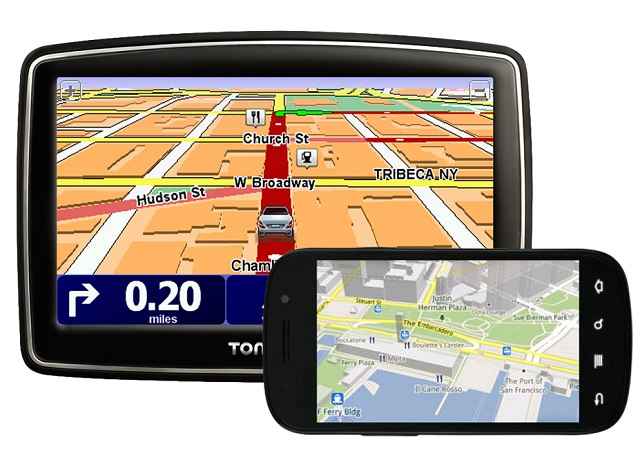
These days, people seem to travel a lot more than they did previously. This is partially the case because of how easy it is to navigate in an unknown territory with such programs as GPS and Google Maps at your side. Have you ever encountered a bug in your GPS where it would point you to some random place instead of the one you were looking for? If not, then good for you. However, i would still advise you use GMaps instead. This wonderful app will never do you wrong.
Google Maps
The application was originally developed by two brothers – Jens and Lars Rasmussen, who were born in Denmark. Some time during 2004, Google took a great interest in this app, mainly because they were trying to develop their own mapping software. The result is a mobile app that can be run on both Android and iOS and the only thing it requires is an internet connection (there is also an option to save your route and view in offline mode). If you are an owner of Android device, you also have the option of having the directions being communicated to you vocally.
This software is equipped with a number of features. Some of those include search, multiple views of the area (a map view and a satellite view) car dock mode, and so on. If you do not know the exact name of the street, but you know some place nearby (a bar or a hotel) you can navigate your way around using this as a milestone. There is also the option to find flights, which is, unfortunately, only available on the desktop version of the app. After you enter your initial location and your destination, click on “See results on Google Flights”. If this option does not appear, click on the dotted buttons which you can find on the toolbar. It will then provide with such information as available airlines, time, flights and prices. It even allows you to compare prices between various airlines.
I advise you to use your voice instead of typing to navigate using this app. This helps you to stay concentrated on the traffic. Speaking of which, you can request photos of nearby traffic, so you can always be aware of potential traffic jams ahead. I also recommend you to buy a car dock (if your device does not already have one) and install your phone on it. It will make the process of accessing Google Maps’ various features much easier.
Traditional GPS
No matter how much I praise the GMaps, this app still lacks some of the necessary features that GPS units provide. For example, these devices do not require internet. Or the fact that they have a built in Lane Assist, which can be very useful at times. Also, as a minor note, these units come with a variety of voices that can be changed if you grow tired of hearing the same one over and over again.
Ultimately, the choice is, of course, yours to make. However, be a responsible consumer and consider your choices carefully!