As it has been previously reported, the release of iOS 8 at the same time as the iPhone 6 and iPhone 6 Plus was publicized has not really gone as expected as it was also the cause of some bugs. First there was bend gate, which observed a lot of new iPhones have bended in many users’ pockets, and ever since, a number of viruses, features that are broken and other concerns have been reported. Fortunately for users, some are already being fixed.
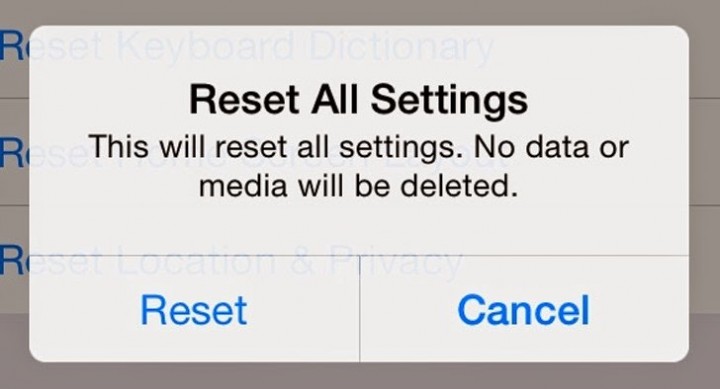
Sorry to say, Mac Rumours has seen another one of these bugs in iOS 8 that has the capability to remove all iWork documents that are saved in a user’s iCloud Drive. Notices posted on the forums of Mac Rumours have stated that using the Reset All Settings function in iOS 8 will not only reset all settings to its default, but will also delete all files on iWork saved in the user’s iCloud.
A user from a Mac Rumours forum published his experience in the encounter with the virus stating that due to the iOS 8 being slow on the iPad 3 that he owned, he decided to reset all his settings. Now we all know that when one resets his/her settings on an iOS device, no amount of media or saved data would be deleted, but with the bug, the entire iWork data of the user was deleted.
 The feature of reset all clearly states that it will only reset the device to its factory settings and not erase any media or data, so this bug, or bugs, in the system is very vital. It seems that the people who are operating Mavericks or anything lower may utilize the function of the time machine to restore any lost iCloud data, but to those who are operating the Yosemite beta will not be able to and as a result their documents are will seem to be gone forever. Disturbingly, this doesn’t appear to be a type of isolated event as several people have come face to face with the bug and even Mac Rumours themselves have administered to reconstruct it.
Unfortunate people who have experienced firsthand the wrath of the annoying bug, have already gotten in touch with the customer support of Apple and they have been informed that their engineers are already trying to fix the problem and will definitely attempt to bring back lost data.
So far, the probability of restoring all lost data is slightly slim. The best option for iOS 8 users would be to avoid using the reset all button and wait for a fix that will be issued by Apple. Although, if you really need to use the reset all settings feature make sure that you back up all of your iWork documents into several, external, locations. Until Apple finds a solution to all of these bugs, another suggestion would be that you just delete things manually.