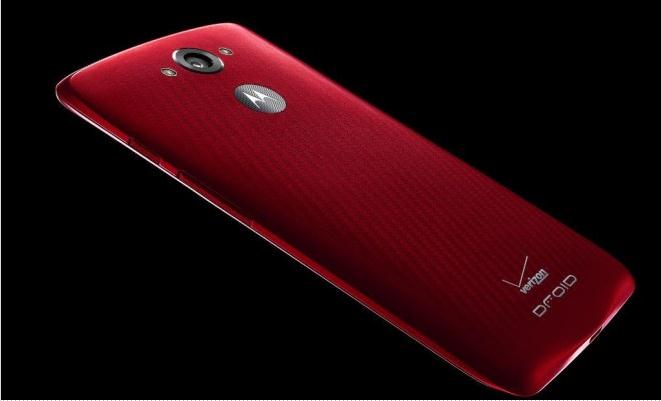
Motorola has recently launched its new model, the Droid Turbo and already this smartphone seems to be the talk everywhere. Many have lauded the company’s effort and see a good future ahead. The Droid Turbo, elegant as it is, will require some care and maintenance by the users in order to lengthen the life of the device.
Motorola has provided for easy transfer options to the Droid from both Android and iOS systems. This makes for extremely simple transfer of information and data and users can start using the new phone immediately. Android users will need to download the Motorola Migrate application from the Google Play Store while Apple users will find the same on the Apple app store. Once downloaded, the two devices need to be connected either on Wi-Fi or on Bluetooth. The Migrate application can then be used to transfer information to the Droid with a few simple instructions.
On the first boot of the device, Motorola requires users to activate the device management options. This will ensure that if the device is lost or stolen, the user has options to disable the device, erase the memory and even find the current location of the device. The device management application can be downloaded from the Play Store. If the device happens to be lost, users need to visit the Motorola website and navigate to the section on lost devices which will then provide instructions on how to recover the Droid.
Motorola offers a Moto Assist feature with this device. It presents users with four distinct modes corresponding to different times of the day and helps users adjust to different activities and situations. There is a smart sleep mode, which silences the device while also providing options for favorite contacts to get through after multiple calls in case of emergencies. This proves to be a really great feature as most people can understand how it feels to get unnecessary calls while asleep. There is also a hands-free mode for driving. If paired with the car’s Bluetooth, the device will also stream music. Other modes include a general home mode and a meeting mode with several customization possibilities for both.
A great little feature of the Droid Turbo is smart notifications. Only a small portion of the screen independently lights up when a notification pops up and this helps in saving the battery life to a considerable extent. Also the novel feature makes sure that users do not miss important updates and calls.
The Droid Turbo also features Moto Action. This enables the device to respond to gestures and proves to be very useful in many situations. Users can customize the phone to go silent or display latest notifications at the wave of a hand.
Motorola has also provided for extremely quick charging technology. For just 15 minutes of charging of the device, it will have a standby time of 8 hours. This is extremely useful to people who are regularly on the move and require a very good battery life and charging technology.
Motorola seems to have thought of everything with the Droid Turbo and has released this really elegant smartphone.